


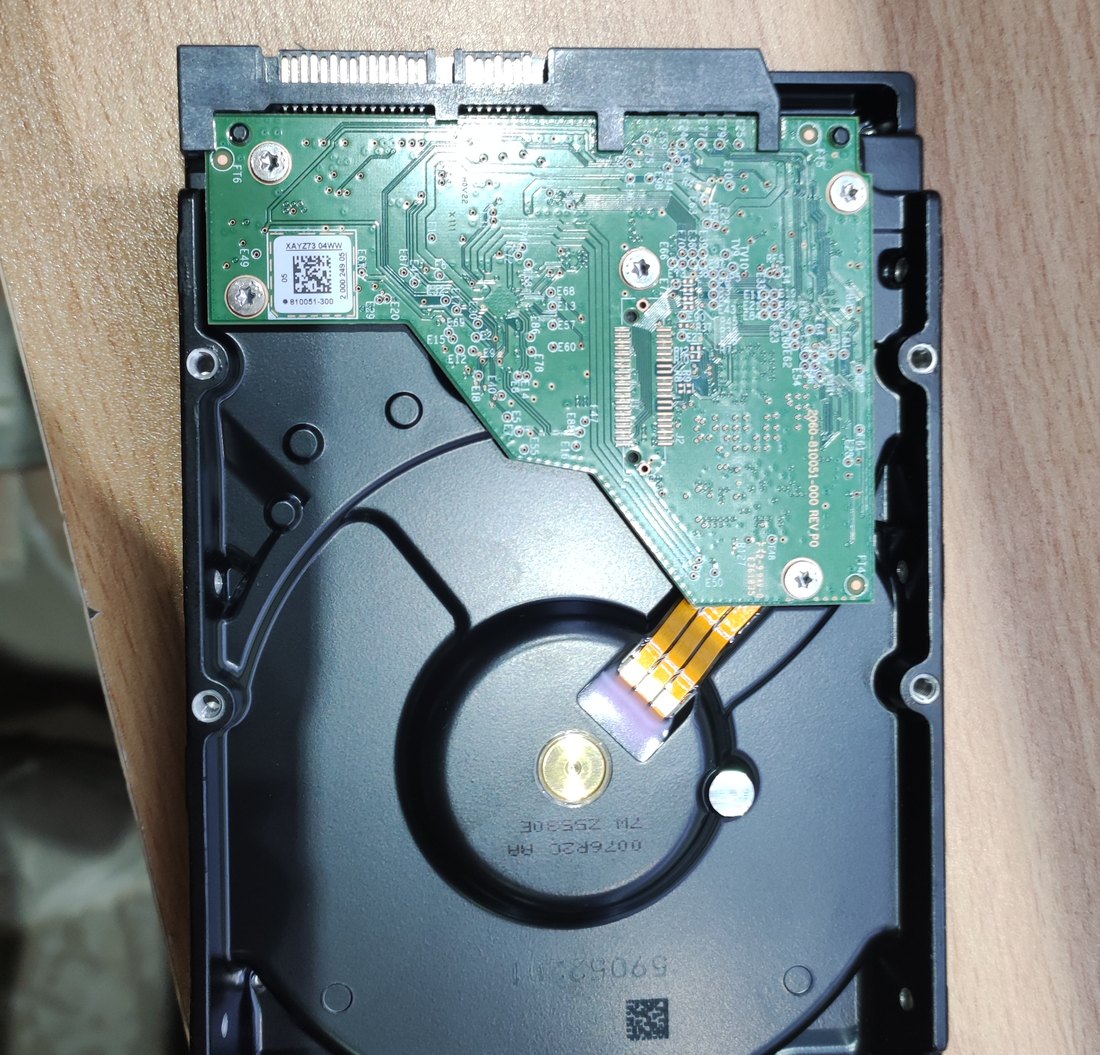
Your drive is no longer detected? The computer won’t boot and your work files and family photos are stuck inside? Deleted a folder and emptied the recycle bin? At the Comp-Master lab we perform data recovery from hard drives, SSDs, USB sticks and memory cards — including cases where the computer itself no longer powers on.
One thing matters more than anything else: the longer you keep using a damaged drive, the smaller the chance of getting the data back. Every boot, every “free recovery tool” and every attempt to format writes new data exactly over what needs to be rescued. The right move is to power the device down and bring it in for diagnosis.
What we do — and what we don’t
Our lab performs logical recovery: deleted files, a formatted drive, a lost partition, a corrupted file system, media that Windows keeps asking you to format, and pulling data off a drive from a computer that won’t start. When a drive is mechanically damaged — clicking, grinding, motor not spinning — it needs to be opened in a clean room, which is a separate and far more expensive service. In that case we tell you straight after the diagnosis instead of charging for work that cannot succeed.
When people come to us
- The drive isn’t detected — missing in BIOS or showing zero capacity.
- Accidental deletion of files, folders or an entire partition.
- Formatting by mistake, or reinstalling the OS over existing data.
- The computer won’t power on after a power surge, liquid spill or a drop — and the data has to move to a new machine.
- An SSD that suddenly disappeared — a very common controller failure in fast drives.
- A USB stick or memory card that asks to be formatted on every connection.
How the process works
- Intake and diagnosis. We identify the failure type — logical or physical — and what can realistically be retrieved.
- Quote. Before any work you get an exact price and time frame. The diagnosis costs 150 ₪ and is only charged if you decide not to proceed.
- Imaging. We never work on a damaged original: a sector-by-sector image is created first, so a mistake during recovery cannot destroy your data.
- Recovery and verification. Files are extracted, the folder structure is rebuilt, and we check that documents and photos actually open.
- Handover. Data is delivered on an external drive or a new disk. Note: the cost of the storage device itself is not included in the recovery price.
Comp-Master computer lab services price list
Does not include the cost of parts, unless otherwise noted.To search for a service, it is recommended to use the search above a table
| ID | Categories | Service Type | Service | Price | Warranty | Partial list of devices |
|---|---|---|---|---|---|---|
| 30948 | USB Flash Drive (Disk On Key) | Data Recovery | Data Recovery to disk on k, After deletion or incorrect device, Excluding component cost | 680 | ||
| 53365 | Laptops, Desktops, Interla HDD, Mini PCs, All In One Computers, iMac computers, Macbook computers, Mac mini computers | Data Recovery | Data Recovery to hard disk - for every additional 500GB over 500GB, After deletion or incorrect device, Excluding component cost | 320 | ||
| 5870 | Laptops, Desktops, Interla HDD, Mini PCs, All In One Computers, iMac computers, Macbook computers, Mac mini computers | Data Recovery | Data Recovery to hard disk - up to 500GB, After deletion or incorrect device, Excluding component cost | 950 | ||
| 53362 | Laptops, Desktops, Internal SSD, Mini PCs, All In One Computers, iMac computers, Macbook computers, Mac mini computers | Data Recovery | Data Recovery to an SSD disk - for every additional 500GB over 500GB, After deletion or incorrect device, Excluding component cost | 250 | ||
| 30951 | Laptops, Desktops, Internal SSD, Mini PCs, All In One Computers, iMac computers, Macbook computers, Mac mini computers | Data Recovery | Data Recovery to an SSD disk - up to 500GB, After deletion or incorrect device, Excluding component cost | 950 | ||
| 30954 | Interla HDD | Data Recovery | Estimation of repair cost or inspection. to hard disk, Quote for data recovery, Excluding component cost | 150 | ||
| 64746 | Interla HDD | Data Recovery | Board repair to hard disk, Excluding component cost | 950 | Warranty: None: If there is an issue within 3 months, a new offer will be provided | Seagate st31000528as |
What not to do at home
- Do not open the hard drive. Outside a clean room dust reaches the platters and turns a recoverable drive into an unrecoverable one.
- Do not run recovery software onto the same drive. It writes its own temporary files exactly where your data lives.
- Do not freeze or shake the drive. Those internet tips cause permanent mechanical damage.
- Do not agree to format when Windows offers to “repair” the drive.
- If the drive is clicking — disconnect it immediately and don’t plug it back in.
Turnaround
Diagnosis and quote: up to 3 business days. Logical recovery usually takes 1–3 business days after approval. Large-capacity drives take longer, and we always give you the estimated time before starting.
Ship it to us from anywhere in Israel
A drive, SSD or USB stick can be sent to us from anywhere in the country — there’s no need to come to Ashdod. We work with UPS: a courier collects the parcel from your home or office, and you can also drop it off and collect it at a nearby PickUp point. Details on the lab collection service page.
If the computer itself is faulty and you’re in the Ashdod, Ashkelon, Yavne, Gedera or Kiryat Malakhi area — just bring it to Gia Oni 6, Ashdod and we’ll take the drive out and handle it here.
FAQ
Can data be recovered from a drive that isn’t detected at all?
It depends on the cause. For logical failures — deletion, formatting, a damaged partition table or a collapsed file system — usually yes. Mechanical damage requires a clean room. The diagnosis tells you exactly which case you’re in.
How do I get the recovered files?
On an external drive, on a disk you bring, or on one we purchase for you. The device cost isn’t part of the recovery price.
Is SSD recovery different from hard drive recovery?
Yes. On an SSD data is spread across chips and the controller actively erases freed blocks (TRIM), so it’s important to act fast and stop using the drive. A mechanical hard drive gives you more time, but every restart makes a mechanical fault worse.
Is my data kept confidential?
Yes. The data stays in the lab, is handed only to the owner, and our working copies are deleted once the job is done.
Related services
- Laptop hard drive / SSD replacement — after recovery it makes sense to fit a fast new drive.
- Laptop motherboard repair — when the machine won’t start and the data is inside.
- Liquid-damaged laptop — urgent treatment that also saves the drive.
For more details, call now at 073-2241747 or come for an inspection at 6 Gei Oni Street, Ashdod. You are also welcome to send a WhatsApp message to the same phone number 073-2241747 (click to send a message) with a description of the fault or a photo of the problem and the device model including serial number. The lab team will get back to you as soon as possible