


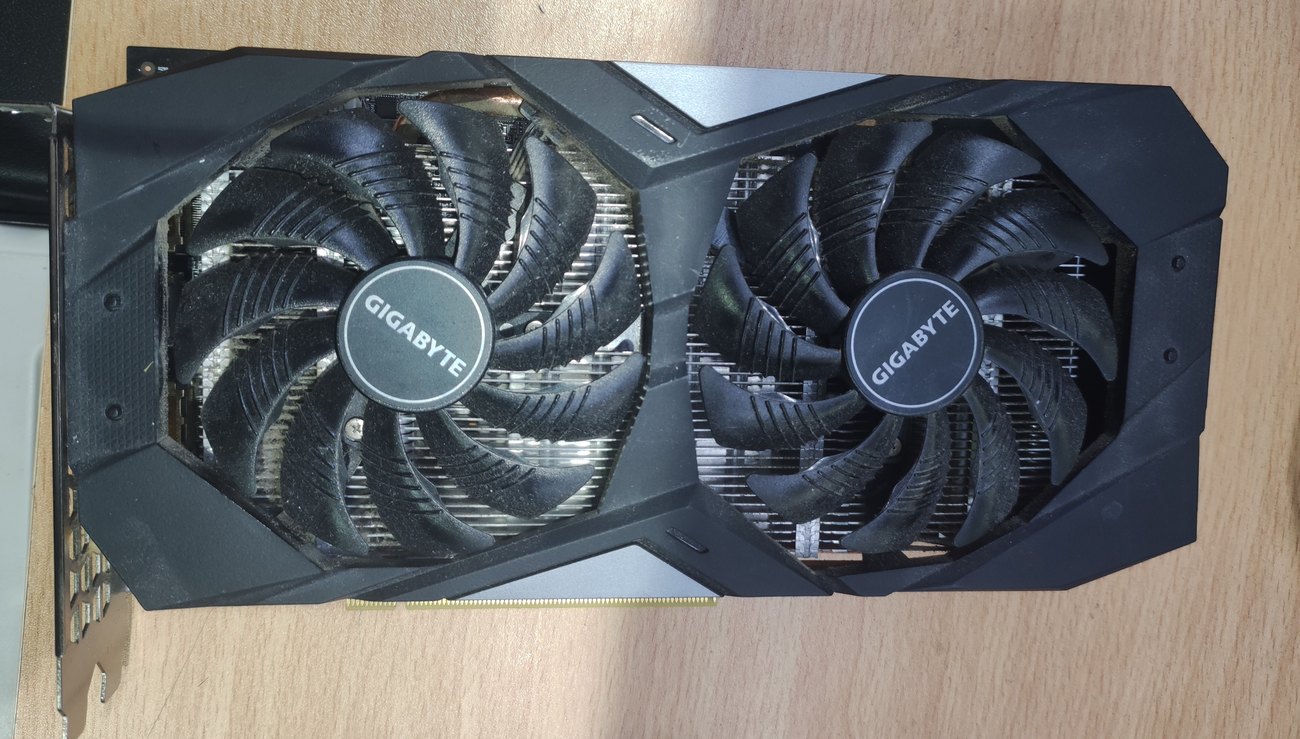
Coloured squares on screen, a black screen a few minutes into a game, fans spinning at full speed, or a card that simply stopped being detected — these are graphics card faults. At the Comp-Master lab we handle graphics cards for desktop computers: cooling system cleaning with new thermal paste and pads, fan repair and replacement, card replacement, and disabling a failed discrete GPU.
Before rushing to buy a new card, it’s worth a check. A large share of the cases that arrive as “the card is fried” end with a cleaning, new thermal pads or a fan repair for a couple of hundred shekels, instead of a card costing several thousand.
So you know how we work: in most cases the treatment is cleaning and thermal service, fan replacement or card replacement. Component-level soldering is considered only for expensive cards and only when it genuinely pays off — for a mid-range or older card, replacement costs less and comes with a warranty. After the diagnosis you get both options with prices and decide.
Typical symptoms
- Artifacts — squares, lines or random pixels, especially in games.
- The PC shuts down or reboots within minutes of graphics load.
- High temperatures — 90 °C and above even in a light game.
- Loud fan noise or a fan that stopped spinning altogether.
- Black screen when the cable is on the card, normal image on the integrated graphics.
- The card doesn’t appear in Device Manager, or shows error 43.
- A sharp performance drop in the same games as before.
In many cases it starts with cooling: thermal pads dry out, paste loses conductivity, fins clog with dust — and the card throttles itself to avoid damage. That’s why our first step is a thermal check, not a parts swap.
What we do
- Full-teardown cooling service — including new thermal paste and pads on memory and power circuitry.
- Fan repair and replacement for standard, gaming and workstation cards.
- Graphics card replacement — new, used or your own part, matched to your power supply and case.
- Disabling a failed discrete GPU and switching to integrated graphics — when repair isn’t worth it and the computer just needs to work.
- Component-level repair (power circuits, capacitors, controllers) — for expensive cards only, and only when justified.
Comp-Master computer lab services price list
Does not include the cost of parts, unless otherwise noted.To search for a service, it is recommended to use the search above a table
| ID | Categories | Service Type | Service | Price | Warranty | Partial list of devices |
|---|---|---|---|---|---|---|
| 9503 | Desktops | Video card repair | Video card repair for a desktop computer, Excluding component cost | 1040 | Warranty: 3 months | Colorfull iGAME 1070 8gb |
| 10020 | Desktops | Video card repair | Estimation of repair cost or inspection., Excluding component cost | 150 | ||
| 8051 | Desktops | Video card repair | Disable video card for a regular desktop computer, Excluding component cost | 210 | Warranty: 6 months | |
| 10006 | Desktops | Video card repair | Replacing the video card for a desktop computer - workstation, Excluding component cost | 300 | Warranty: 6 months | |
| 55537 | Desktops | Video card repair | Replacing the video card for a gaming desktop - Part of a customer, Includes free cooling system cleaning, Excluding component cost | 300 | Warranty: None: If there is an issue within 3 months, a new offer will be provided | |
| 55483 | Desktops | Video card repair | Replacing the video card for a gaming desktop - Used, Excluding component cost | 300 | Warranty: 3 months | |
| 6978 | Desktops | Video card repair | Replacing the video card for a gaming desktop, Excluding component cost | 300 | Warranty: 6 months | |
| 6824 | Desktops | Video card repair | Video card replacement/installation for a regular desktop computer, Excluding component cost | 200 | Warranty: 6 months |
You can send just the card
A graphics card is small and relatively light, so there’s no need to haul the whole computer. If you’re outside the Ashdod area, remove the card, pack it in an anti-static bag inside a padded box and send it via UPS collection or a nearby PickUp point. Details on the lab collection service page. We return it the same way after the repair.
Not sure whether it’s the card, the motherboard or the power supply? Bring the whole computer to Gia Oni 6, Ashdod so we can test the complete system. We serve Ashdod, Ashkelon, Yavne, Gedera, Kiryat Malakhi and the whole south.
Repair or replace
Component-level repair makes sense on powerful cards whose market price is well above the cost of the work. For older, inexpensive cards we’ll honestly recommend replacement — even when that means we won’t be doing a repair. If the card is still under manufacturer warranty, don’t open it yourself: a broken seal or a dismantled cooler usually voids the warranty, and we’ll advise what can be done instead.
FAQ
The card hits 90 °C and the fans scream — is that dangerous?
Not instantly destructive, but it shortens the card’s life and costs you performance. Cleaning with new pads and paste typically drops temperatures by 15–25 °C.
There are artifacts on screen — can that be fixed?
It depends on the source. Artifacts that disappear once cooling is restored point to a thermal problem that can be solved. Permanent artifacts usually mean damaged memory or GPU silicon, and then we assess whether a repair is possible and worthwhile.
What does “disabling the graphics card” mean?
When the discrete GPU has failed and repair isn’t economical, it can be disabled so the system runs on the CPU’s integrated graphics. The computer works fully for everyday tasks, minus heavy gaming.
Do you service cards used for mining?
Yes. Cards that ran under sustained load mainly need new thermal pads and paste, and sometimes power-circuit work. After the diagnosis you’ll know the card’s real condition.
How long does it take?
Cleaning and thermal service — usually same day or next business day. Component-level repair — up to 7 business days depending on parts availability.
Related services
For more details, call now at 073-2241747 or come for an inspection at 6 Gei Oni Street, Ashdod. You are also welcome to send a WhatsApp message to the same phone number 073-2241747 (click to send a message) with a description of the fault or a photo of the problem and the device model including serial number. The lab team will get back to you as soon as possible