


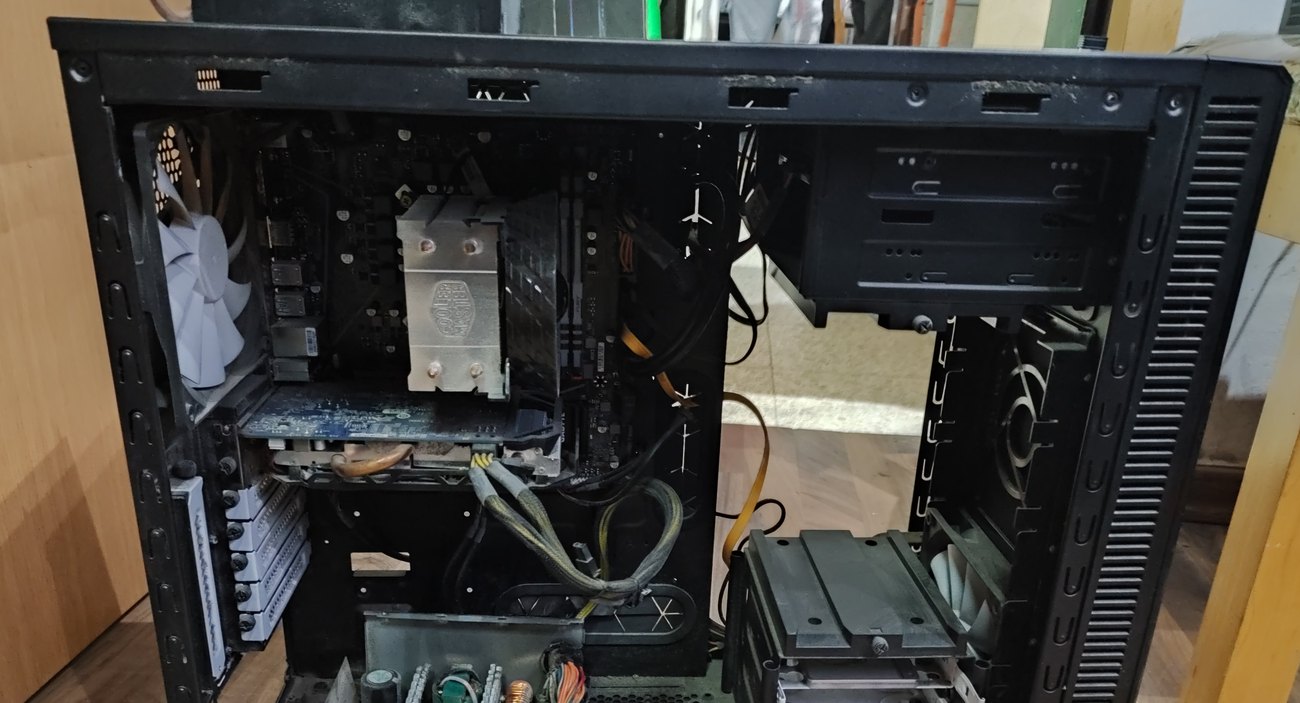
You press the power button and nothing happens? The computer dies suddenly in the middle of a game? There’s a burnt smell from the case or a sharp whine from the back? These are classic signs of a failed power supply — the unit responsible for stable voltages to all the other hardware.
A power supply is also the most dangerous part to poke at home: even after unplugging, its capacitors hold high voltage. Don’t open it. At the Comp-Master lab in Ashdod we test power supplies under load, replace them, and make sure the failure didn’t take other components with it.
To be explicit: desktop power supplies we replace, not repair. A new reliable unit costs less than a safe repair of a burnt one, and a repaired unit always carries the risk of sending incorrect voltage to the motherboard and drives. In PlayStation and Xbox consoles, where the supply is internal and model-specific, it’s different — there we both repair and replace.
Signs of a failing power supply
- No power at all — no LEDs, no fans.
- Powers on and shuts down immediately, sometimes in a loop.
- Sudden shutdowns under load — gaming, rendering or video editing.
- A burnt smell or a popping sound from the PSU area.
- A whine or squeal that grows with load.
- The PSU fan doesn’t spin or makes a metallic noise.
- The machine became unstable after a graphics card upgrade — the supply simply can’t deliver the power needed.
What we do in the lab
- Load testing — not just “powers on or not”, but measuring voltage stability under real load.
- Separating causes — confirming it’s the supply and not the motherboard, power button or CPU.
- Cleaning and fan service when the unit is healthy but noisy and hot.
- Replacement with the right wattage, calculated from your CPU and graphics card.
- Checking for secondary damage — a burnt supply sometimes takes the board or drives with it, and we check before returning the machine.
Comp-Master computer lab services price list
Does not include the cost of parts, unless otherwise noted.To search for a service, it is recommended to use the search above a table
| ID | Categories | Service Type | Service | Price | Warranty | Partial list of devices |
|---|---|---|---|---|---|---|
| 31143 | Desktops | Power supply repair | Estimation of repair cost or inspection. for a regular desktop computer - at the component level, Fault diagnosis before repair. Free if the customer approves the continuation of the repair after the inspection, Excluding component cost | 150 | ||
| 11271 | Desktops | Power supply repair | Power supply repair for a regular desktop computer, Excluding component cost | 620 | Warranty: 6 months | |
| 52612 | Desktops | Power supply repair | Power supply replacement for a gaming desktop - Part of a customer, Excluding component cost | 380 | Warranty: without | |
| 31158 | Desktops | Power supply repair | Power supply replacement for a gaming desktop, Includes free cooling system cleaning, Excluding component cost | 300 | Warranty: 6 months | |
| 31161 | Desktops | Power supply repair | Power supply replacement for a desktop computer - workstation, Excluding component cost | 300 | Warranty: 6 months | |
| 6652 | Desktops | Power supply repair | Power supply replacement for a regular desktop computer, Excluding component cost | 300 | Warranty: 6 months | |
| 11883 | Desktops | Power supply repair | Adapting a power cable to a power supply for a regular desktop computer, Excluding component cost | 110 | Warranty: 3 months | |
| 92564 | Desktops | Power supply repair | Power supply replacement for a regular desktop computer - Used | 300 | Warranty: 3 months |
Which power supply to choose
Two things matter more than the number on the box: quality and real wattage. A cheap uncertified unit delivers less than it claims, and under load it’s the one causing crashes — sometimes taking the motherboard with it. We’ll recommend a unit based on your hardware: CPU, graphics card, number of drives and headroom for future upgrades. If you’re considering a new graphics card, check the power supply at the same time — it’s the most common upgrade mistake.
Bring it to us in Ashdod
A desktop tower is awkward to ship, so it’s simplest to bring the case to the lab at Gia Oni 6, Ashdod — no monitor or peripherals. If you’re in Ashdod, Ashkelon, Yavne, Gedera or Kiryat Malakhi it’s a short drive, and in many cases the computer goes back the same day. If the machine is in an office and can’t be moved, call us and we’ll find a solution.
FAQ
Can a power supply be repaired, or only replaced?
We replace. A new reliable unit costs less than a safe repair, and a faulty unit endangers the rest of the hardware. If the issue is only a fan or dust, we’ll service it without replacing.
The PC won’t start — how do I know it’s the PSU?
At home it’s hard to tell: the motherboard, CPU or power button produce identical symptoms. Load testing in the lab separates the causes quickly.
Can a power supply burn other components?
Yes. A poor-quality unit that fails can send incorrect voltage to the board and drives. That’s why after a PSU failure we always check the rest of the system.
Is there a link between a weak PSU and crashes in games?
A direct one. Under graphics load consumption spikes, and a supply that can’t keep up triggers protection and shuts the machine down. It looks exactly like a graphics card fault.
What’s the warranty?
6 months on a power supply supplied by us. Parts brought by the customer are not covered on our side.
Related services
For more details, call now at 073-2241747 or come for an inspection at 6 Gei Oni Street, Ashdod. You are also welcome to send a WhatsApp message to the same phone number 073-2241747 (click to send a message) with a description of the fault or a photo of the problem and the device model including serial number. The lab team will get back to you as soon as possible